How to install OutRun 2 on Teknoparrot
1 - Download & install Teknoparrot
- Click on the picture to go to the Teknoparrot’s website to download the Teknoparrot’s installer.
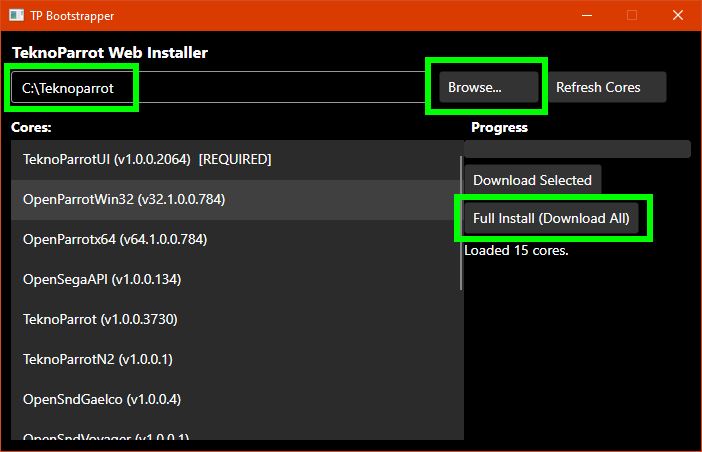
This file might be named TPBootstrapper.zip, unzip it and launch TPBootstrapper.exe
-
Choose the directory you want to install if and click on FULL INSTALL
-
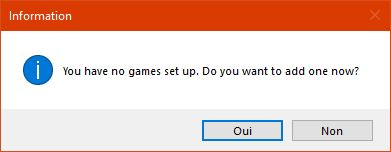
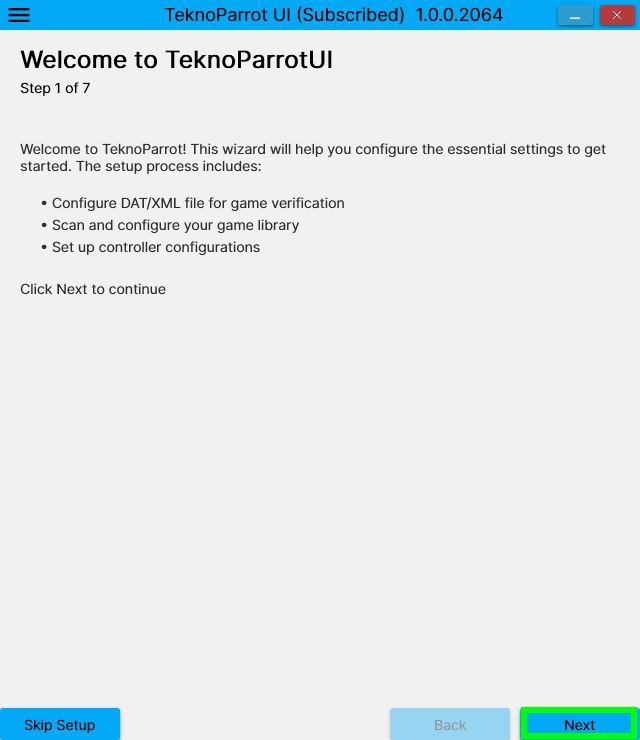
Once installed, it will ask for the first time if you want to add a game, click YES or NO. In both case you will have to configure Teknoparrot. Try with YES.
|
 |
You will have to download the DAT/XML file.
Go on Eggmansworld : https://github.com/Eggmansworld/TeknoParrot
Clic on RELEASE on the right.
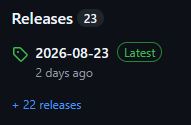
Scroll a bit and click the last RomVault available, in this case of 2026-08-23

Create a folder romvault (for exemple) in your Teknoparrot folder you just installed and put this file in.
Extract the zip file in this directory. You will have this directory tree
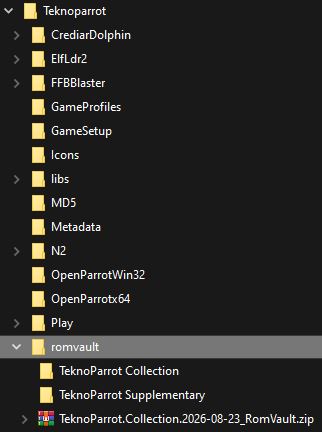
You can delete the zip file of the rom vault you just downloaded.
Go back to Teknoparrot and browse to the file "TeknoParrot Collection (2026-08-23_RomVault).dat" (for exemple) in C:\Teknoparrot\romvault\TeknoParrot Collection (for exemple) and click NEXT.
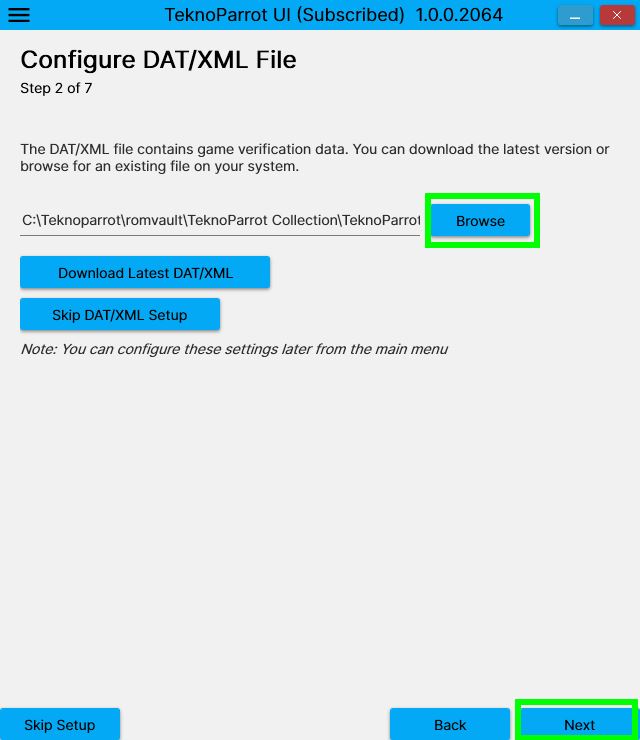
Continue to configure Teknoparrot, skip the game scanning because for now, you have no games ;)
Skip the controle configuration, we will do it later
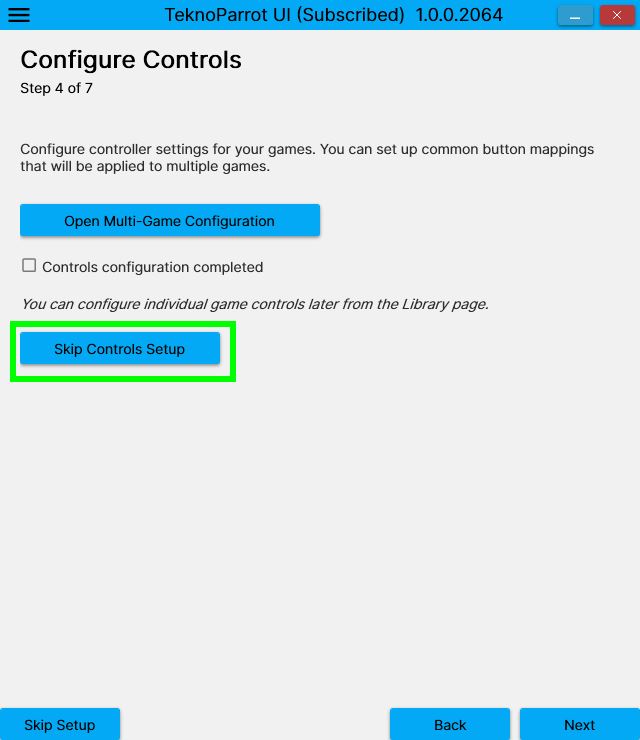
Skip the LOGIN and REGISTRATION for now, it's not needed yet ...
...BUT NOTICE WELL, you will have to register and subscribe to get a registration code to play with Force Feedback with your steering wheel ! But it really worth it and for those who hesitate, please don't hesitate because it's so much fun and so well done, really better than OutRun 2006 Coast to Coast on PC, that's why I'm playing OutRun 2 SP on Teknoparrot and not OutRun 2006 Coast to Coast.
It’s less than 5$ per month (you can try 5$ for just one month) and again, it really worth it, but WAIT TO BE SURE that OutRun 2 SP is running perfectly on your system so please, continue our adventure...
(PS : for those who are asking, no, i'm not affiliated with Teknoparrot, I'm here for retro gamers)
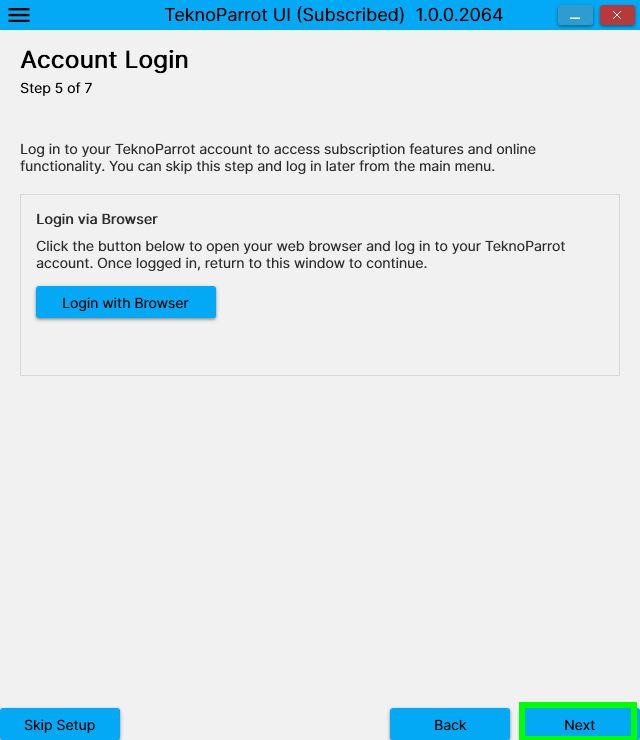
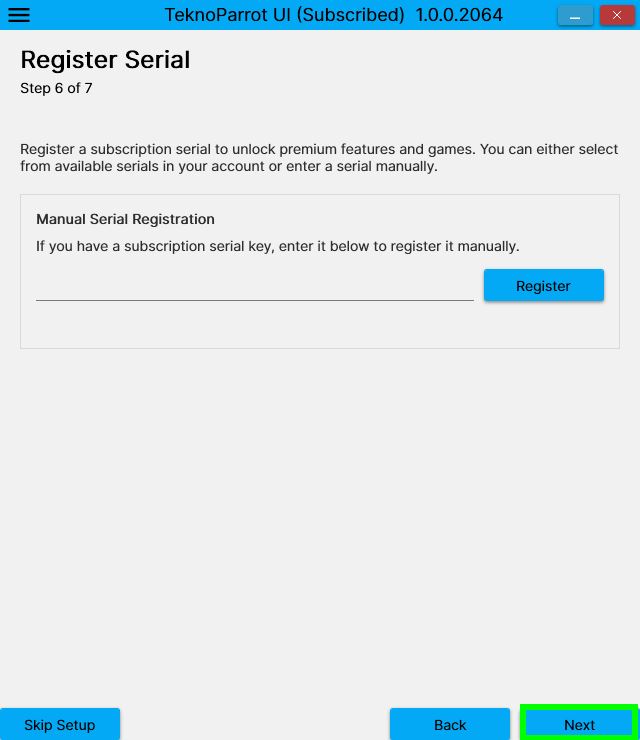
The setup is over. It will ask if you want to add a game and answer NO so you arrive on this
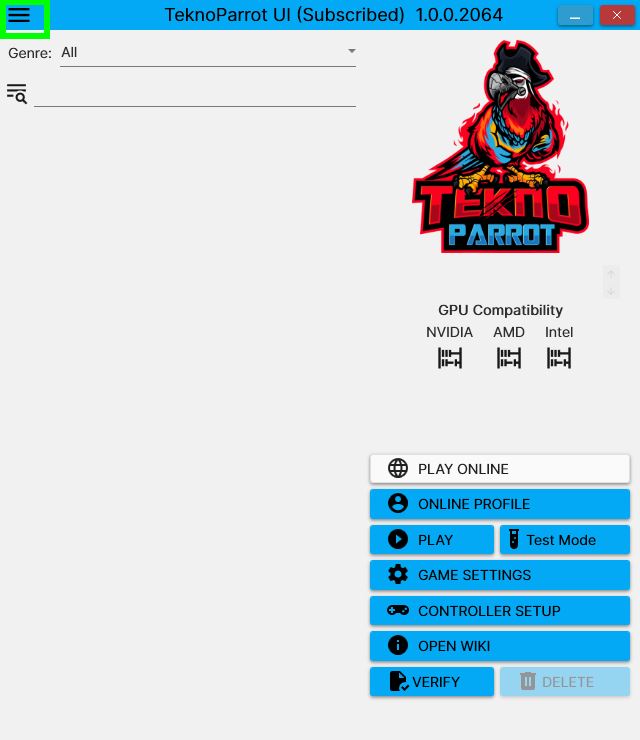
CONGRATULATIONS, you finished the first step,
installing Teknoparrot !
2 - Declare OutRun 2 SP SDX on Teknoparrot
First you have to DECLARE the game on Teknoparrot, click on the menu on top-left
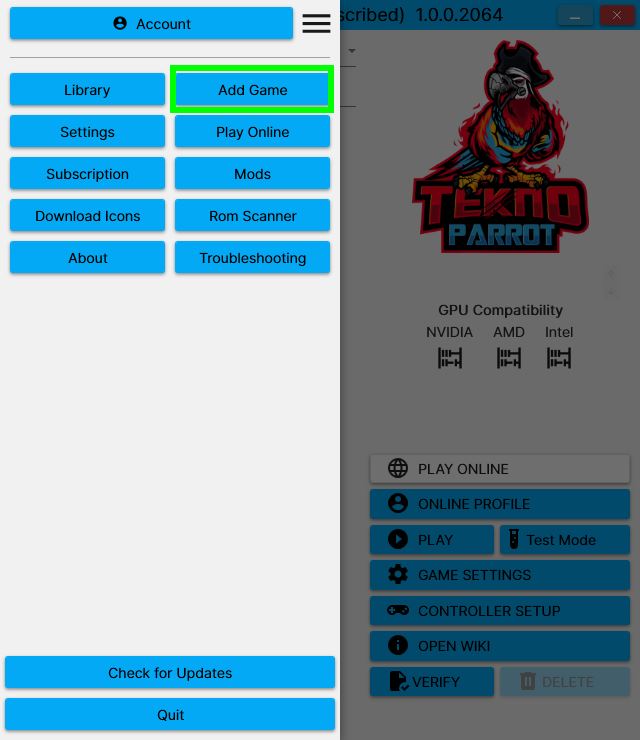
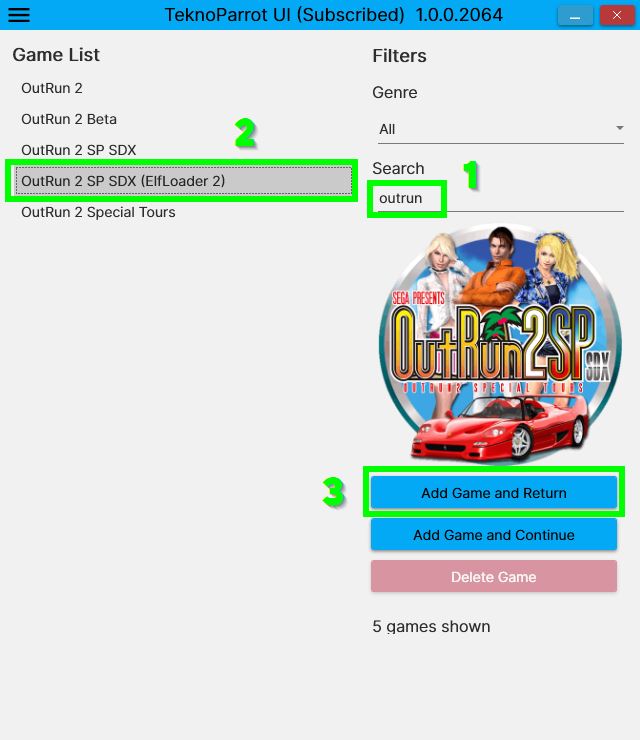
Search for OutRun, click on OUTRUN 2 SP SDX (ElfLoader 2) and ADD GAME AND RETURN
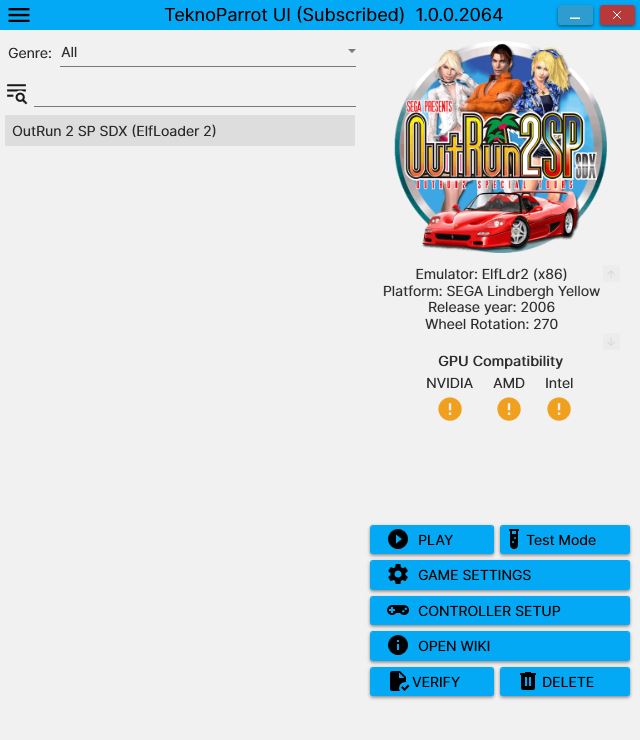
CONGRATULATIONS, you finished the second step,
declaring OutRun 2 SP SDX on Teknoparrot !
3 - Download & install Outrun 2 SP SDX
Click here to download the ROM from RomFun (the ROM I use)
Or here to direct download from Outrun2tricks.com.
NOTE : if you download this ROM, which is the same as previously, except that the 15 courses will be preactivated and you will have 3 music packs inside (OutRun2Tricks music pack by default) ! See here to know how to change music pack.
The music packs in the ROM are in ..\roms\OutRun 2 SP SDX (ElfLoader 2)\or2g\disk0\Jennifer\data\_MusicPacks_\
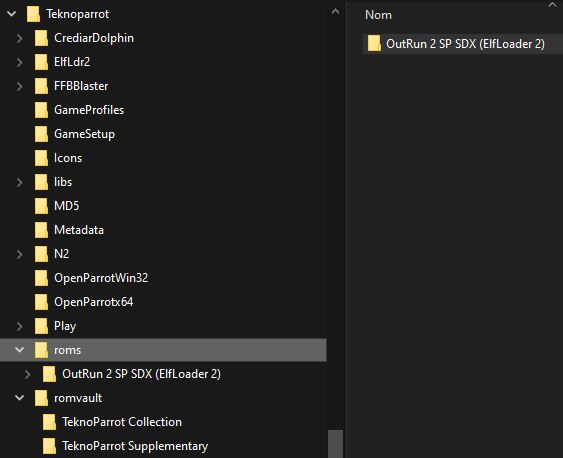
Put this ZIP file in a new folder call ROMS (for exemple) under Teknoparrot directory and extract the rom in his own directory so you will have this
Once unzipped, you can delete the zip file.
CONGRATULATIONS, you sucessfully finished the third step
downloading and installing OutRun 2 SP SDX on Teknoparrot !
4 - Configure Outrun 2 SP SDX on Teknoparrot before launching
Before lunching the game you will have to specify where the game is and configure some basics things as well.
We will focus only on basic options for now. Click on GAME SETTINGS
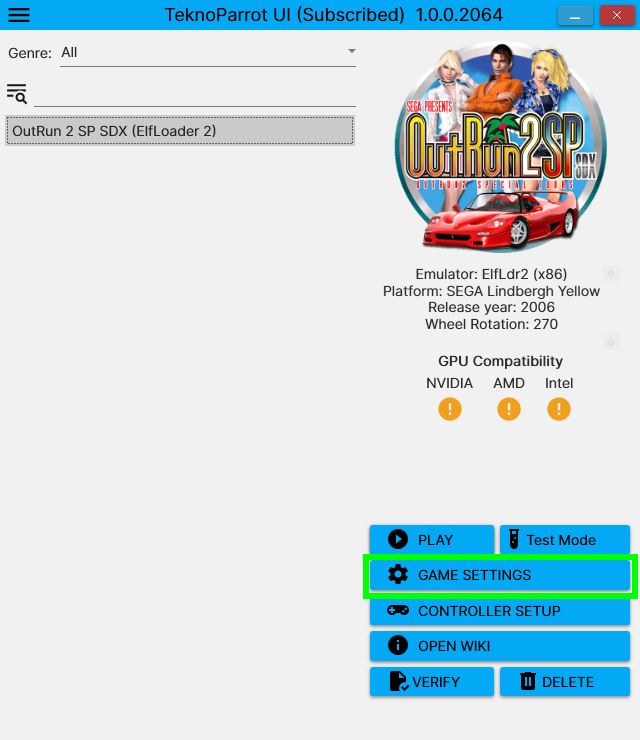
You will have first to specify where the GAME EXECUTABLE of OutRun is. This is not a .exe. The file is here :
C:\Teknoparrot\roms\OutRun 2 SP SDX (ElfLoader 2)\or2g\disk0\Jennifer\Jennifer_VGA
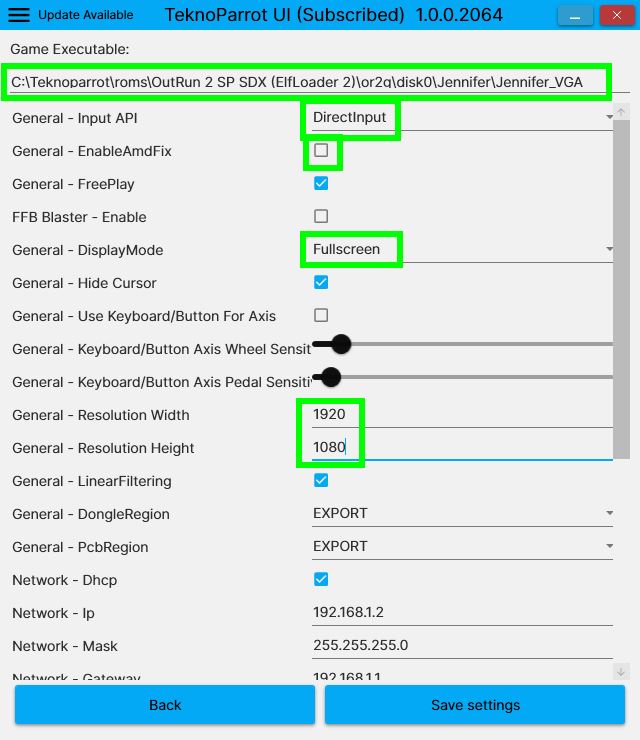
Specify the next options (sorry i will not expand on many explainations here)
- Input API : try to change if your pad is not recognized
- EnableAmdFix : graphical patch for AMD if you experience some troubles if you have AMD hardware. I never try it.
- DisplayMode : play fullscreen or windowed
- Resolution : change it according to your screen. Exemple, 1920x1080 for FULL HD, 3840x2160 for 4k...
- The next parameters are here to play on network with friend (network configuration), to send your scores on the TEKNOPARROT HIGH SCORE TABLE, to send your captures on YouTube ...
Click SAVE SETTINGS
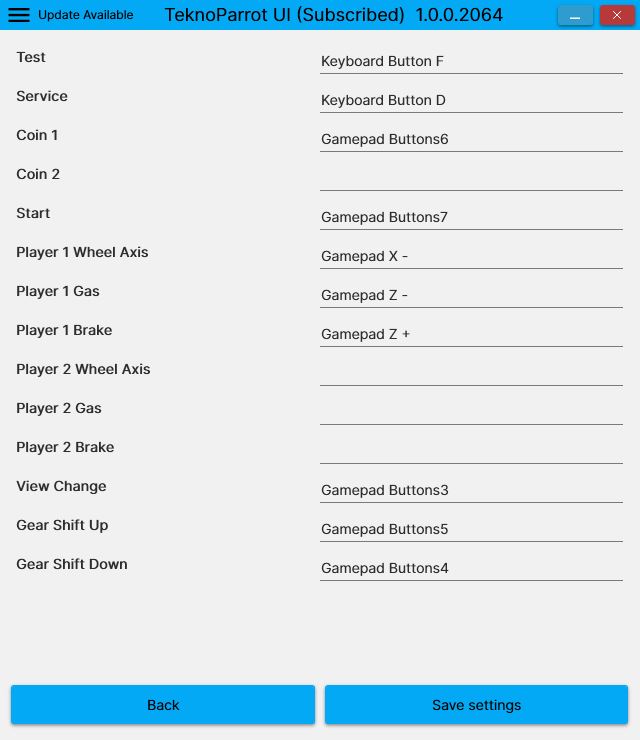
Last but not least, configure your pad or steering wheel !!
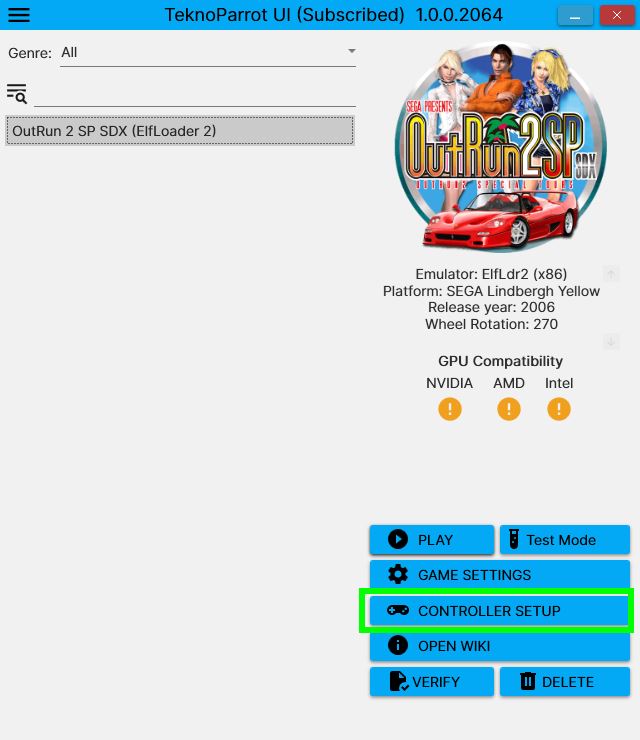
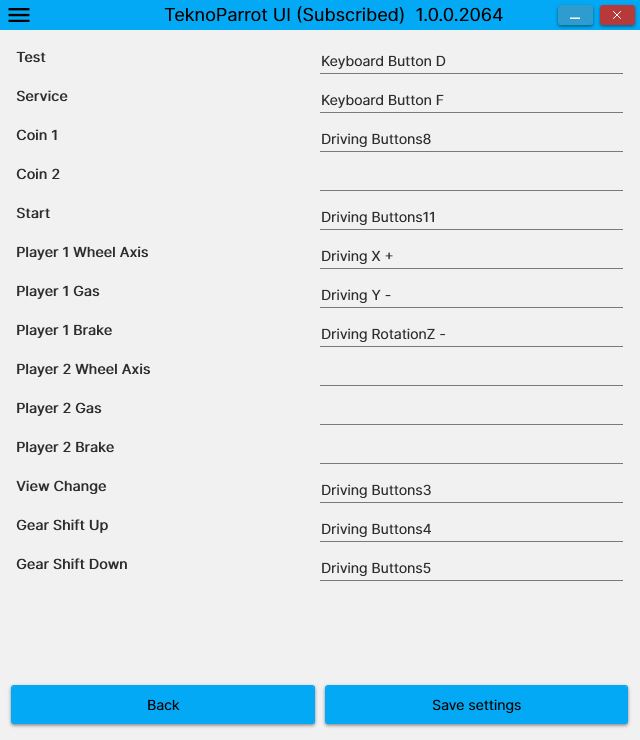
Just click on each line and press the button you want (or press the pedal or turn the wheel). Here are the configuration for my steering wheel and another screenshot to show you with my pad.
- TEST : this is the button to VALIDATE in the cabinet options when you click on TEST MODE instead of PLAY
- SERVICE : this is the button to SELECT and MOVE the cursor in the cabinet options
- You will use these buttons here for example
COURSE COMPLETE !
If you are still alive, you can now PLAY OUTRUN 2 SP SDX !!!
Enjoy with maximum pleasure !
PS : you can make a shortcut on your desktop of Teknoparrot of this exe file :
C:\Teknoparrot\TeknoParrotUi.exe
|
|
2026 - Outrun2Tricks is just here to help gamers to configure Outrun2 SP on Teknoparrot the best way possible and enjoy it ! |
|